IRIS WASTE

Collect bins when they are full.

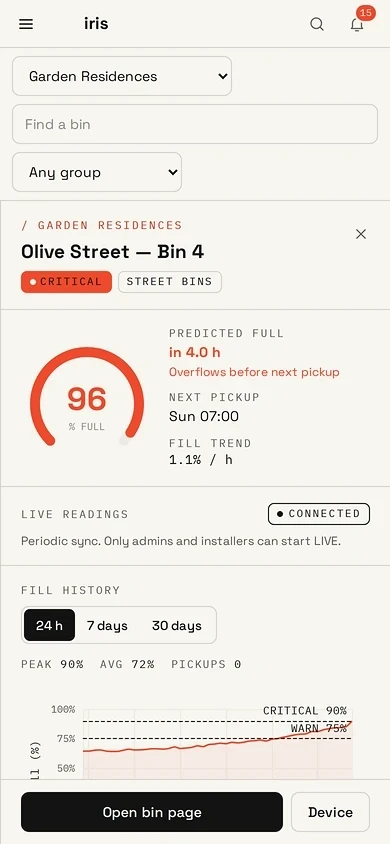
The site map shows every bin as a fill ring. Select a bin for predicted overflow, the next collection, and fill history. IRIS installs a finished device on each bin.

Free demo: IRIS installs one finished device on a bin at a location you choose, for 2⁠–⁠4 weeks.

Iris Waste site map of Garden Residences: street bins as fill rings on the map, a fleet summary, and an open panel for Olive Street Bin 4 predicted to overflow before the next pickup. Sample data.
Iris Waste phone screen for a street bin in warning state, predicted full within hours, with the next pickup time and a fill history chart.

THE IRIS WASTE APPLICATION

The map, alerts, reports and setup your team uses.

Map, alerts, reports and setup are what you use in the demo. Route planning, the crew app, contractor times, carbon and diversion, a view across properties, and resident QR reports are available on request. They are not part of the demo.

MAP

Every bin on the site map, as a fill ring.

Supervisors see each bin on the site map, colour-coded by fill. Select a bin for predicted overflow before the next collection, and a fill history. People see only the sites their role allows. There is a record of who changed what.

  • Site map with fill rings per bin
  • Overflow before collection, flagged in advance
  • Fill history and predicted full time per bin
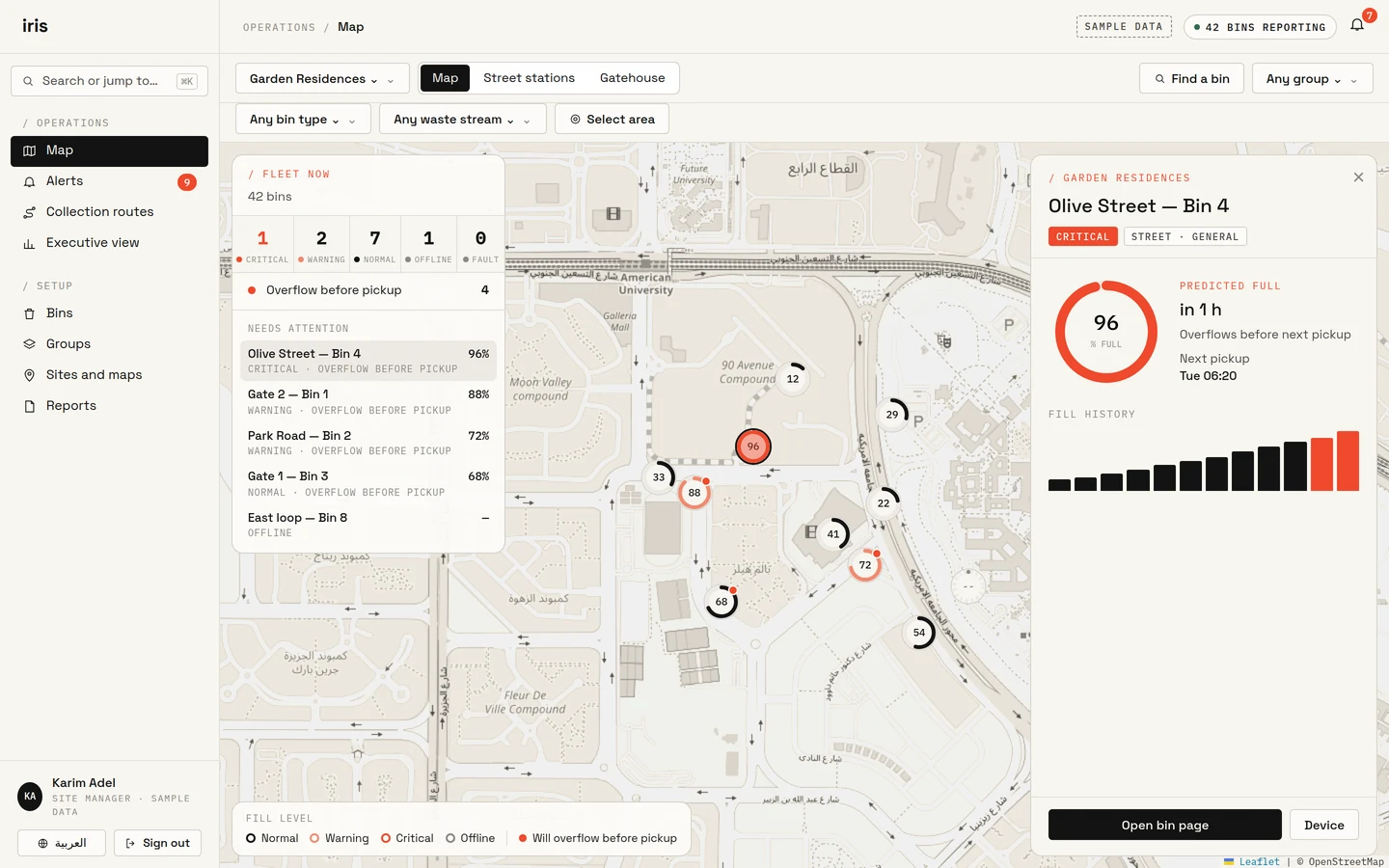
Iris Waste site map of Garden Residences: street bins as fill rings on the map, a fleet summary, and an open panel for Olive Street Bin 4 predicted to overflow before the next pickup. Sample data.
Iris Waste phone screen for a street bin in warning state, predicted full within hours, with the next pickup time and a fill history chart.

ALERTS

One inbox for fill, fire, tilt and overflow.

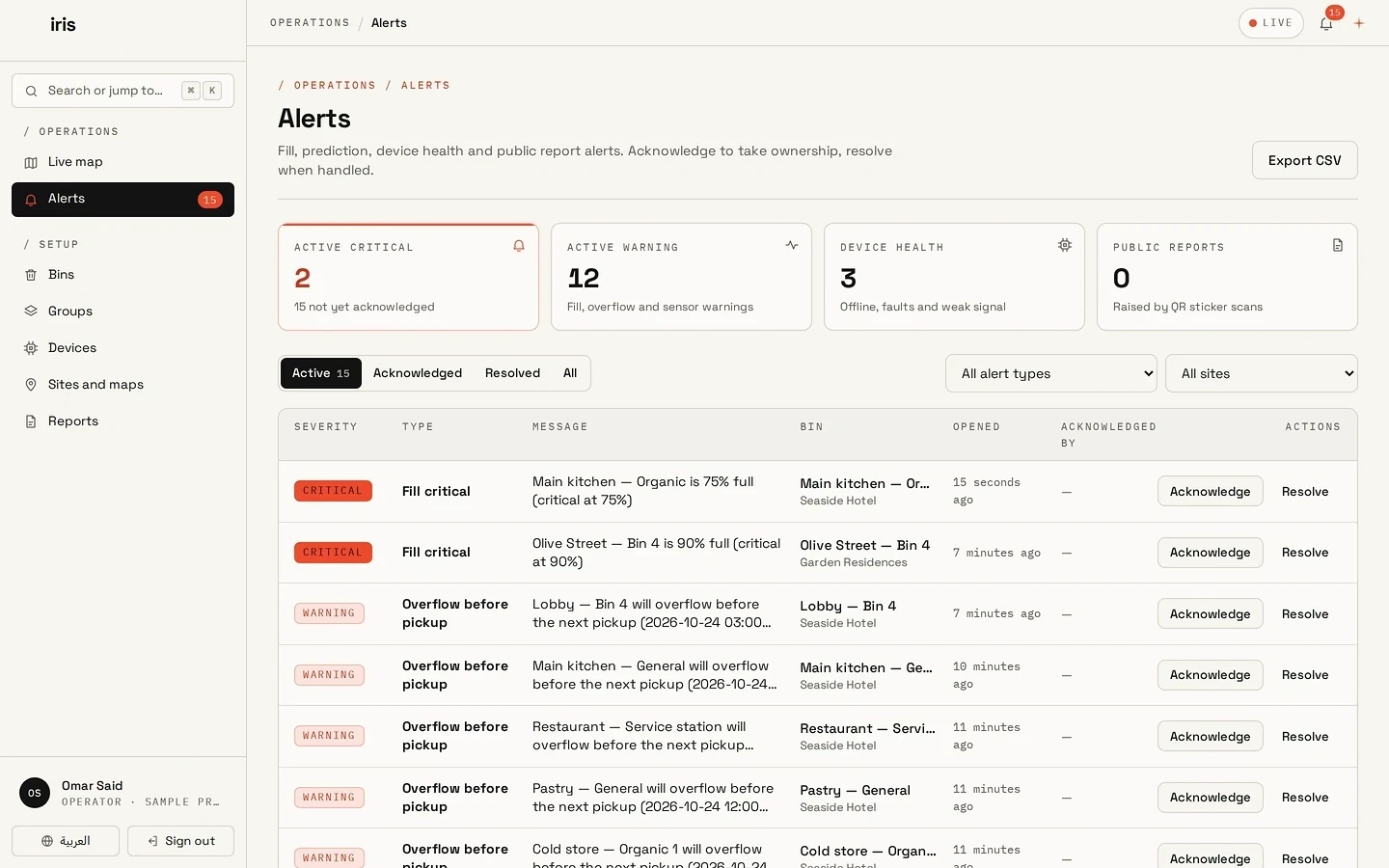
Alerts for fill, predicted overflow, fire, tilt and device health arrive in one inbox. An operator acknowledges ownership and resolves the alert when it is handled, including from a phone.

  • Fill, fire, tilt and overflow alerts
  • Acknowledge, then resolve
  • On a laptop or a phone
Iris Waste alerts inbox with summary counts and a list of warnings for bins that will overflow before pickup, each with acknowledge and resolve actions.

REPORTS

Average fill at collection, per site.

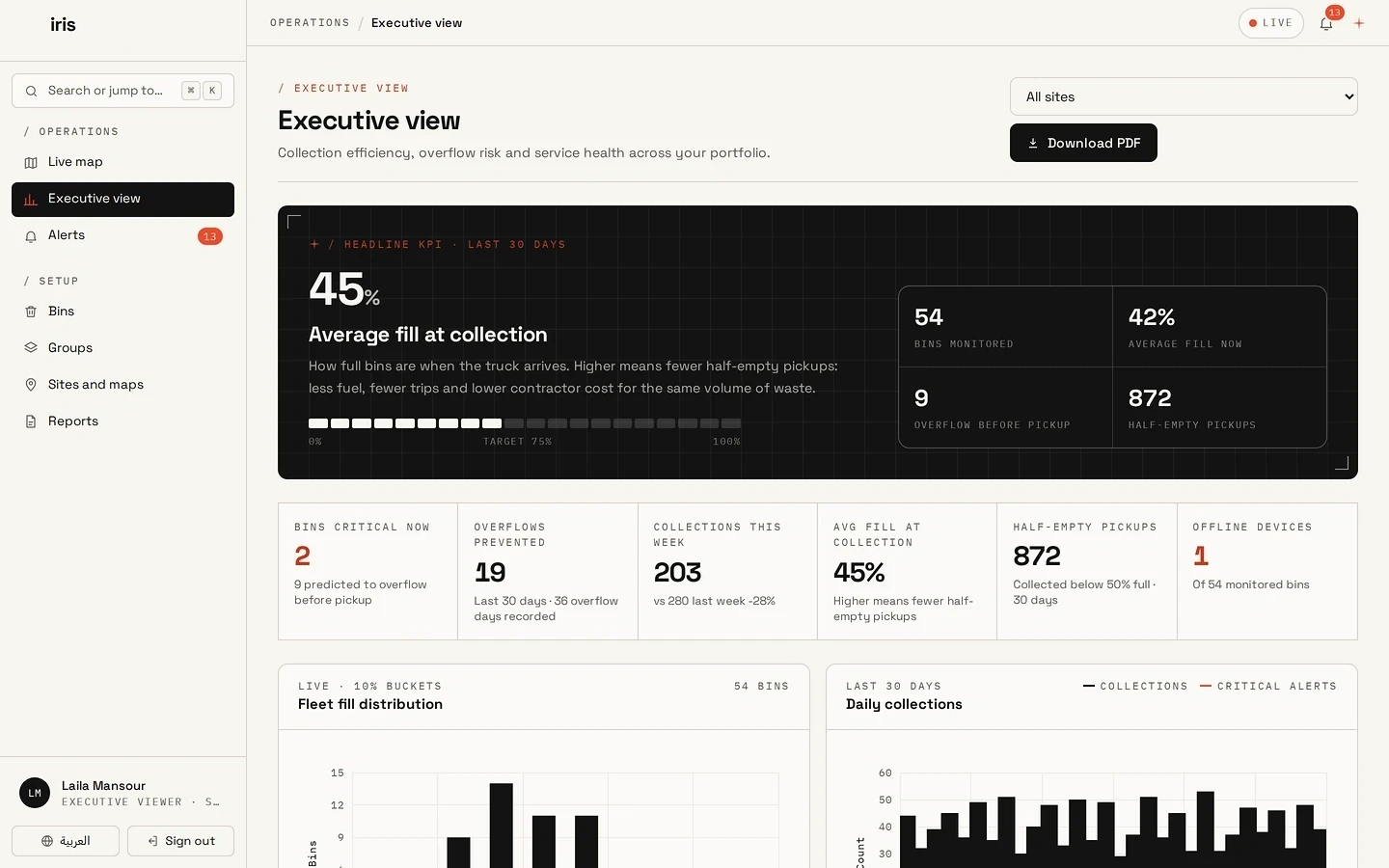
Managers read average fill at collection and overflow risk for each site, on a laptop or a phone. Reports can go to the systems your team already uses.

  • Average fill at collection, per site
  • Daily dashboards and weekly reports
  • Exports to systems you already use
Iris Waste reports with average fill at collection as the headline figure, plus bins monitored, overflows prevented, collections this week, and half-empty pickups.
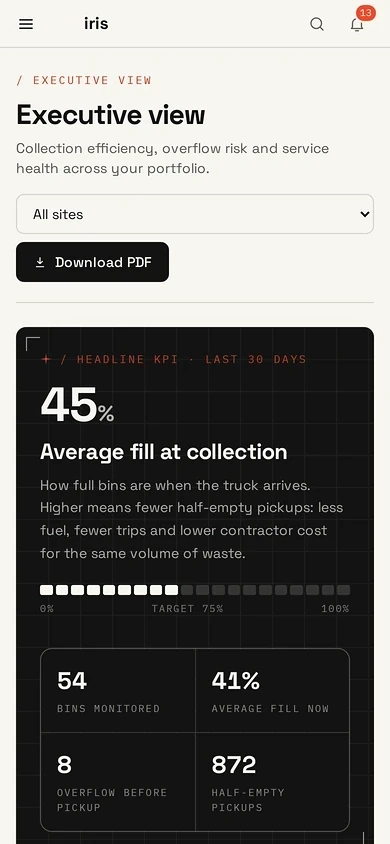
Iris Waste reports on a phone: average fill at collection over the last 30 days against a 75% target, with bins monitored and half-empty pickups.

SETUP

Organisation, site, group and bin rules.

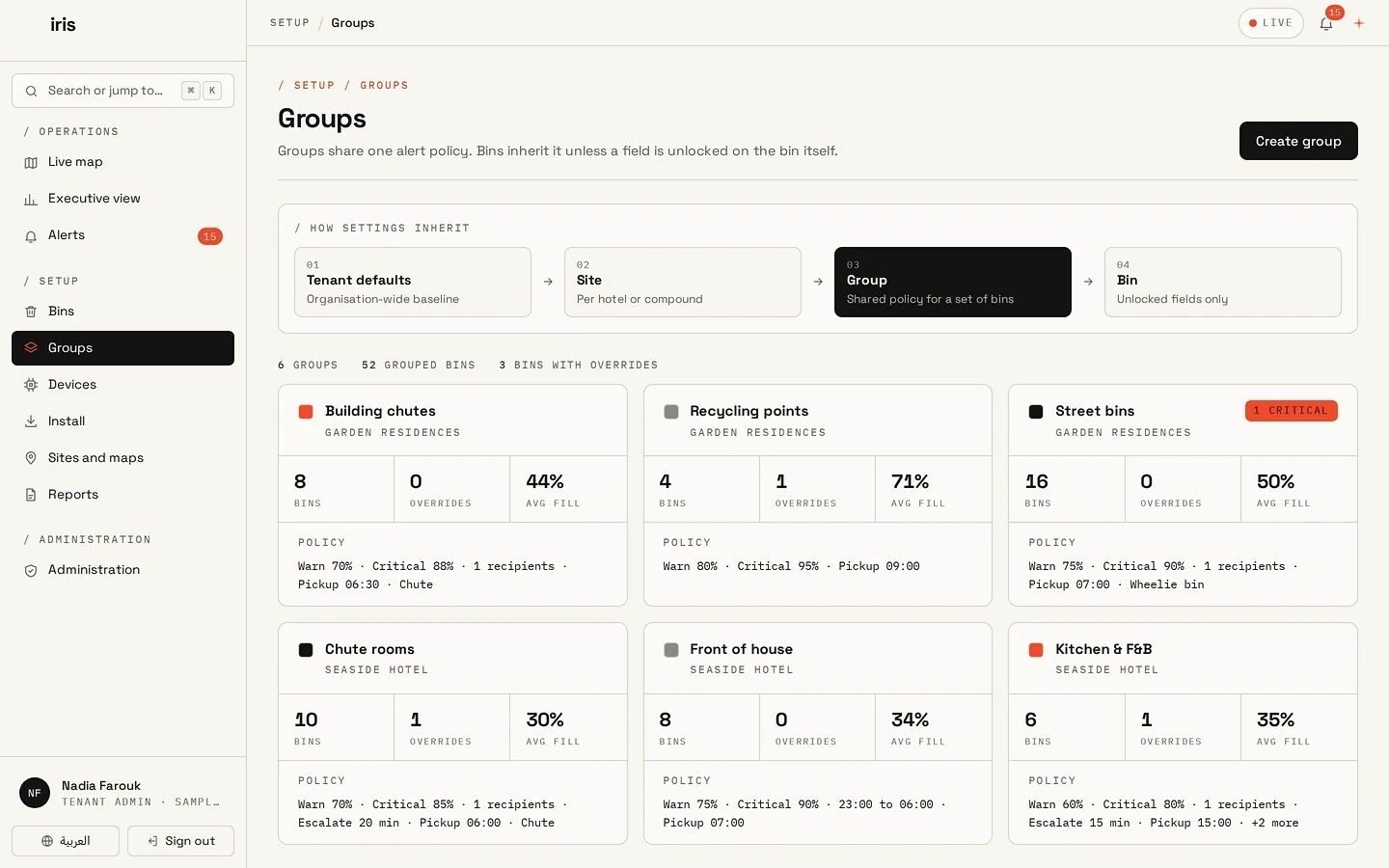
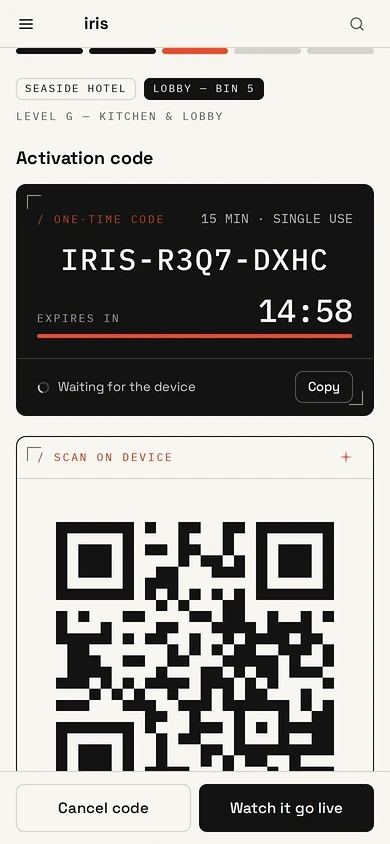
An administrator adds sites and bin groups, sets warning and critical levels once, and assigns who sees which sites. Groups inherit those rules. The installer brings each device onto the map from a phone, with a one-time activation code.

  • Rules set once; groups and bins inherit them
  • Roles limited to the assigned sites
  • A one-time activation code at the bin
Iris Waste groups page showing settings passing from organisation to site, group, and bin, with six bin groups and their warning, critical, and pickup rules.
Iris Waste install step on a phone with a one-time activation code, a 15-minute countdown, and a QR code to scan on the device.

COLLECTION ORDEROn request

The day’s collection order, on the site map.

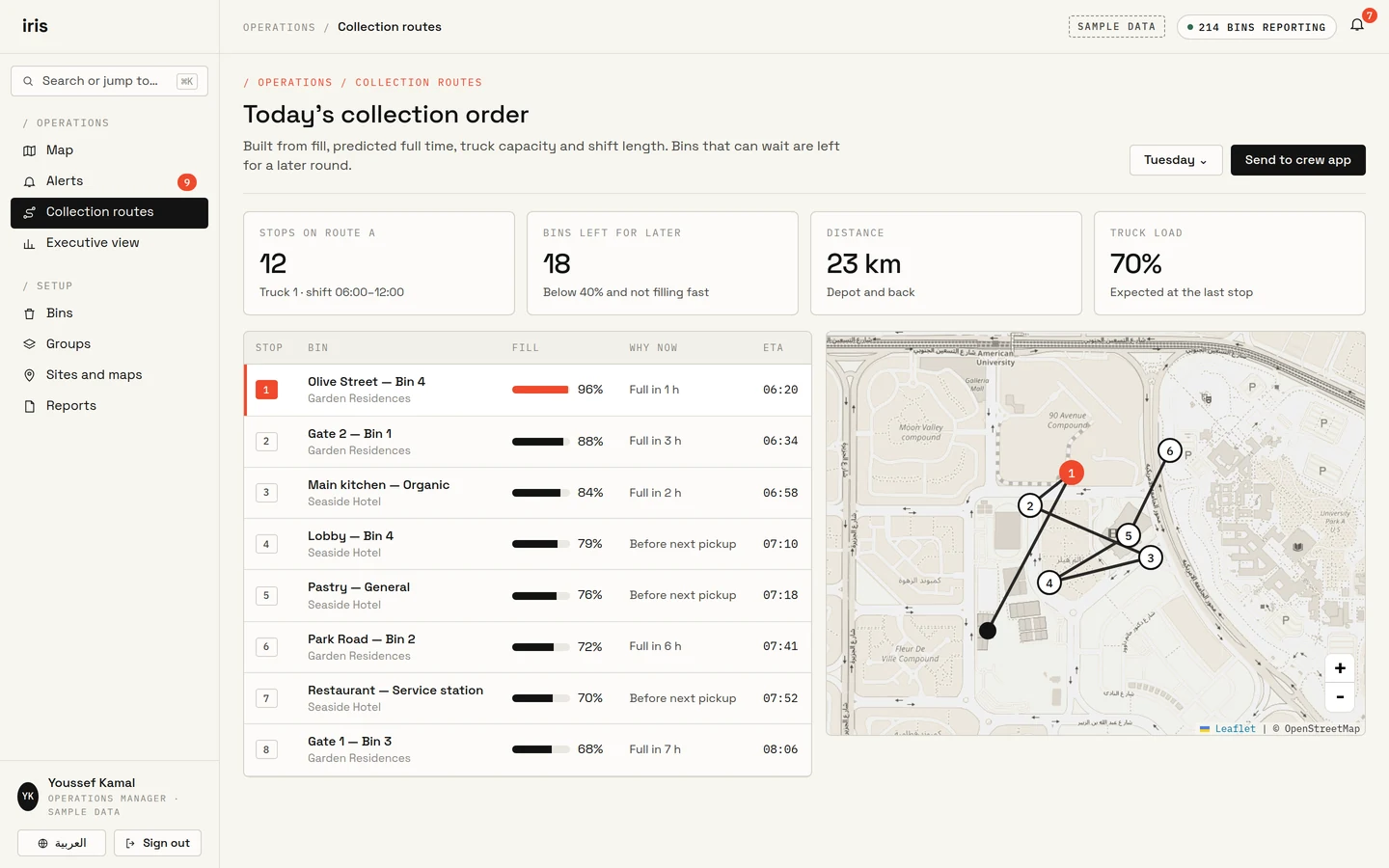
Available on request. IRIS can order stops by fill, predicted full time, truck capacity and shift length, drawn on the same site map. Not part of the demo.

  • Stops ordered by need, on the map
  • Bins that can wait are omitted
  • Shown with sample data
Iris Waste collection order page with today’s stops in order, each bin’s fill and arrival time, and the route drawn on a map. Sample data. Available on request.

CREW APPLICATIONOn request

Today’s stops on the crew phone.

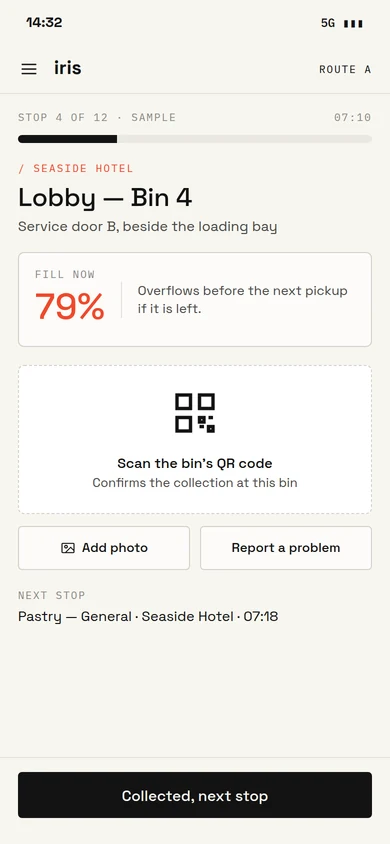
Available on request. Crews see today’s ordered stops, scan a QR code at the bin, and attach a photograph. Not part of the demo.

  • Today’s stops, in order
  • A QR scan at the bin
  • Shown with sample data
Iris Waste crew app on a phone at stop 4 of 12: a lobby bin at 79% fill, a button to scan the bin’s QR code, and options to add a photo or report a problem. Sample data. Available on request.
Iris Waste phone screen for a street bin in warning state, predicted full within hours, with the next pickup time and a fill history chart.

ON REQUEST

Available on request.

Not part of the demo. Request them if the site requires them.

  • On request

    Contractor times, with evidence

    How long a contractor takes to empty a critical bin, retained with timestamps and fill readings.

  • On request

    Carbon and diversion

    Trips, distance and waste streams expressed as carbon and recycling figures for each site.

  • On request

    One view across properties

    Compounds, hotels, stores and offices side by side, with a monthly pack.

  • On request

    Resident reports from a QR sticker

    A QR sticker on the bin. The resident does not install an application.

WHY IRIS WASTE

Finished devices, specified and installed by IRIS.

Each bin receives an enclosed product selected for that bin and that site.

  • A finished enclosure, specified per bin

  • Installed by the IRIS team

  • Sensing, power, connection and mounting selected per bin

  • Specified for indoor and outdoor use

  • The Iris Waste application in English and Arabic

  • Readings within 60 seconds of installation

  • Up to 5 years battery life on RF ultrasonic builds

WHERE IT GOES

IRIS selects the device for each kind of bin.

Every build is a finished enclosure. The IRIS team inspects the bin and what is near it, then selects the product.

Sensing
Ultrasonic fill sensing, or a camera aimed at the bin
Power
Battery, mains, solar, or the network cable
Connection
4G, Wi-Fi, Ethernet, or radio to an Iris Gateway
Mounting
On the bin, a wall, the ceiling, or a pole
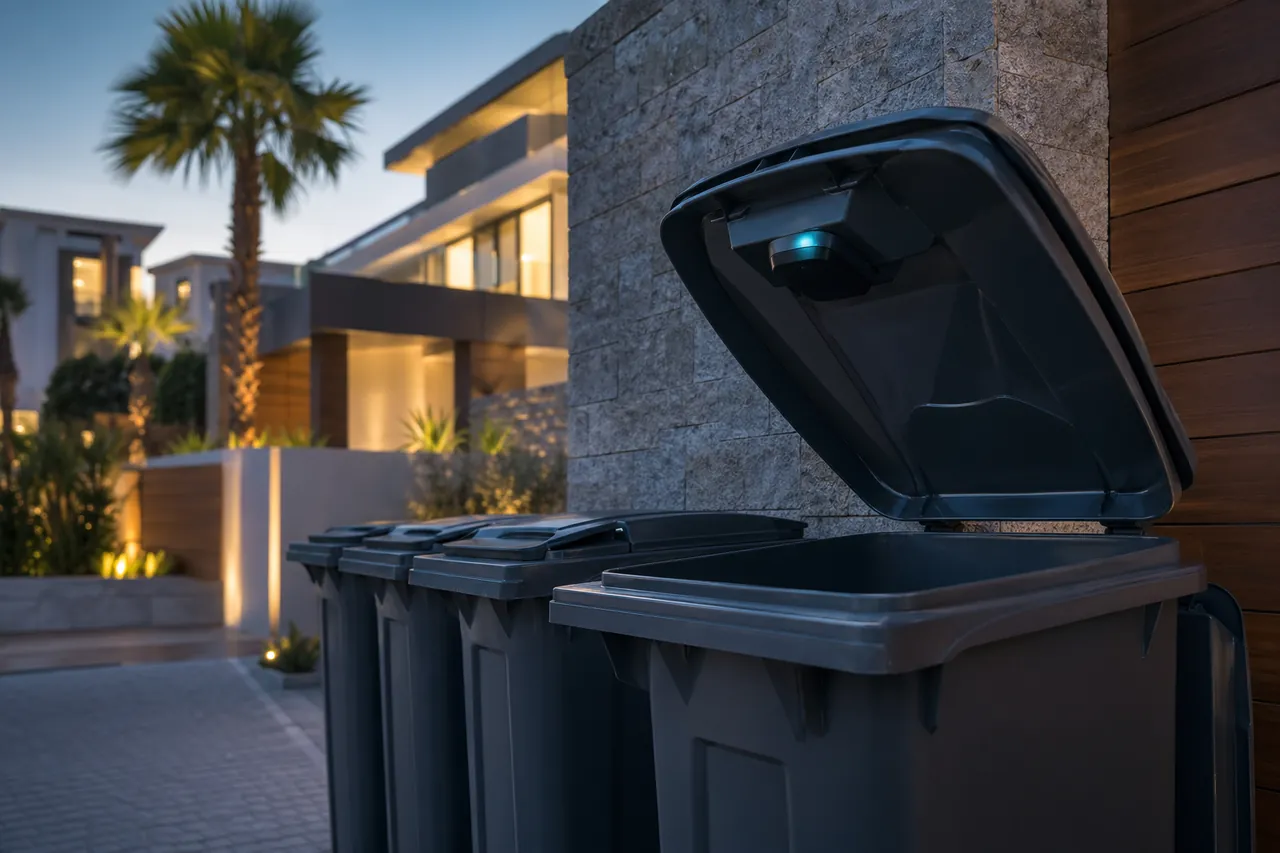
  • Wheelie bins at a residential compound at dusk, with a finished IRIS device under the open lid of the nearest bin.

    Compounds and street bins

    A device under the lid, on battery, reporting over the mobile network. Hotels and hospitals use the same line indoors.

    Build code: IRIS-US-BAT-4G-BIN

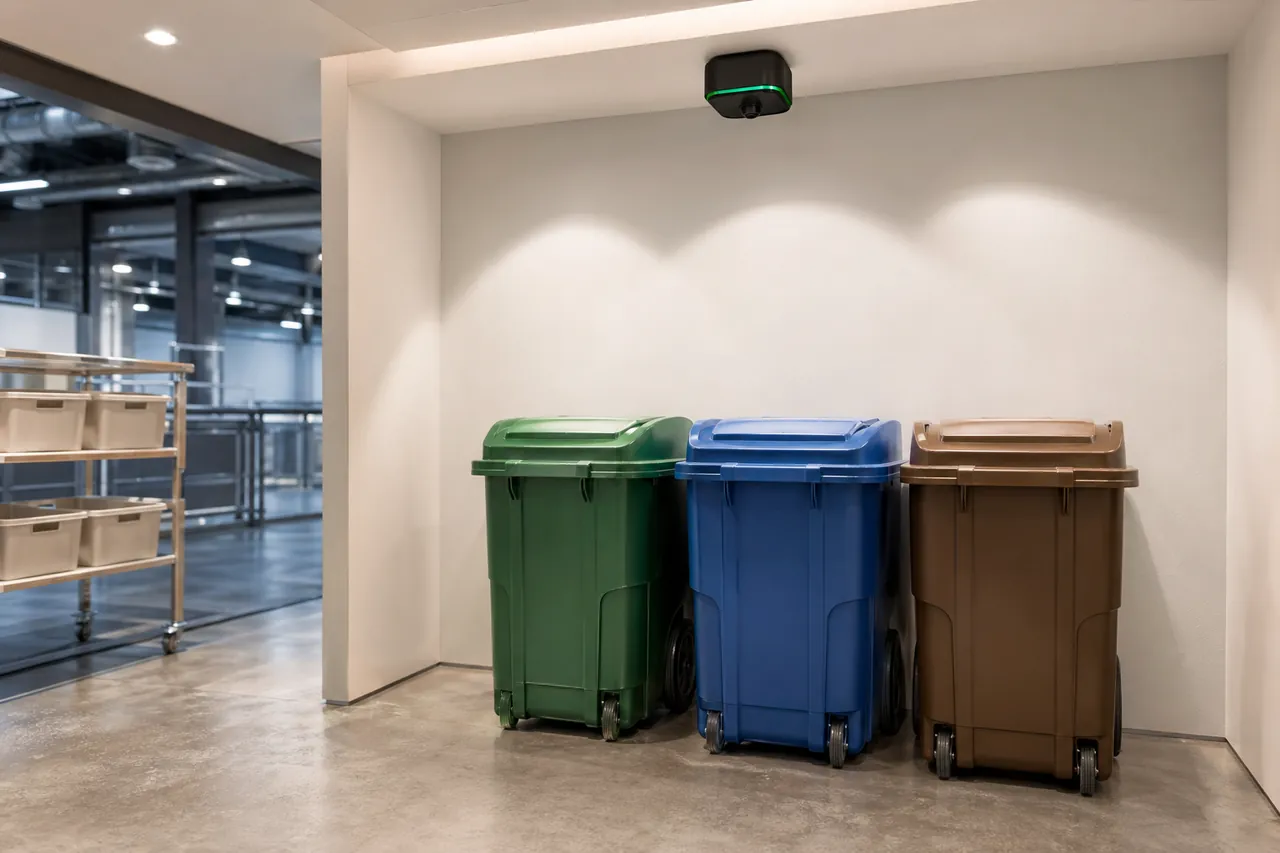
  • Green, blue and brown bins in an indoor refuse room, observed by a finished IRIS device on the ceiling.

    Indoor refuse rooms

    A ceiling device on building power, using the building network. Specified for malls, hotels, hospitals and offices.

    Build code: IRIS-AIV-AC-ETH-CEI

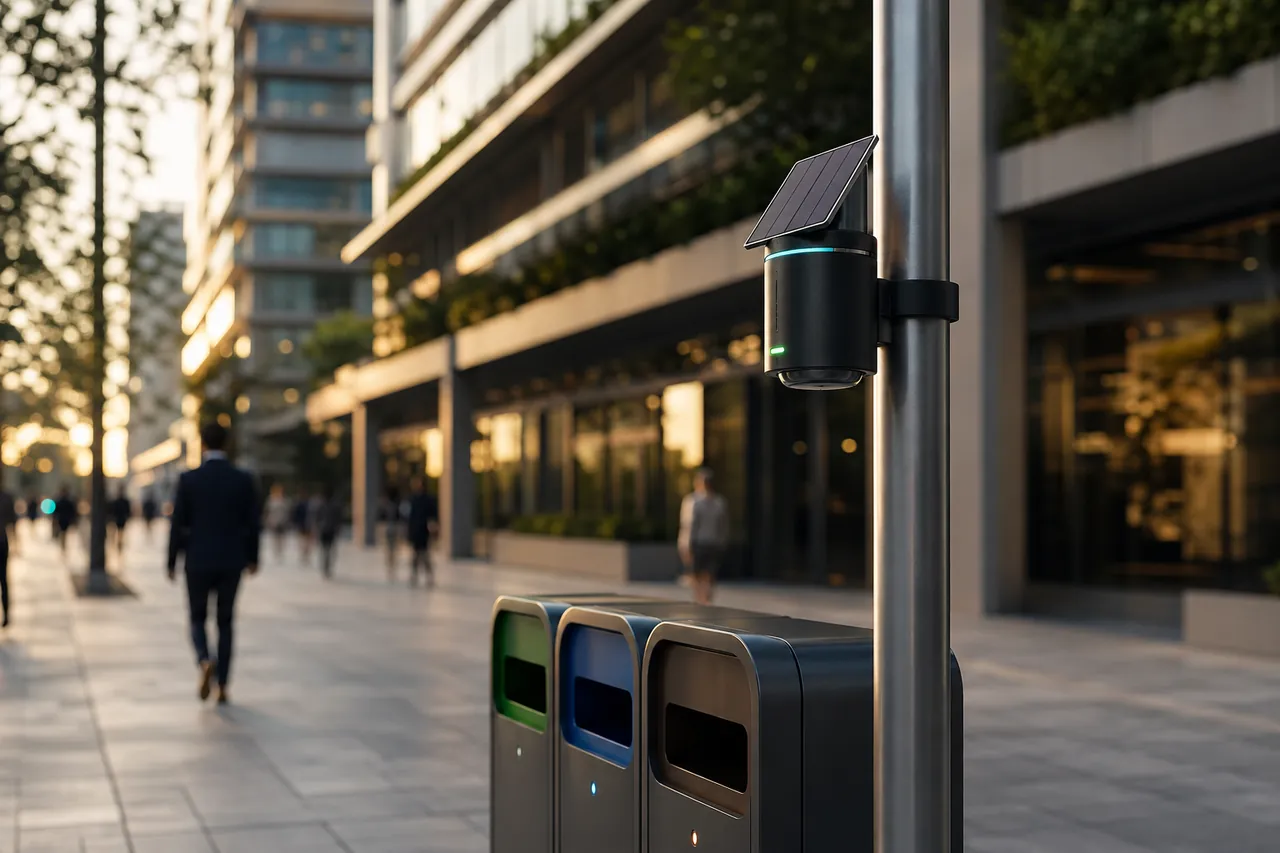
  • A solar-powered IRIS device on a street pole above a row of recycling bins on a city pavement.

    Street stations

    A solar device on a pole, using radio where cable will not reach.

    Build code: IRIS-AIV-SOL-RF-POL

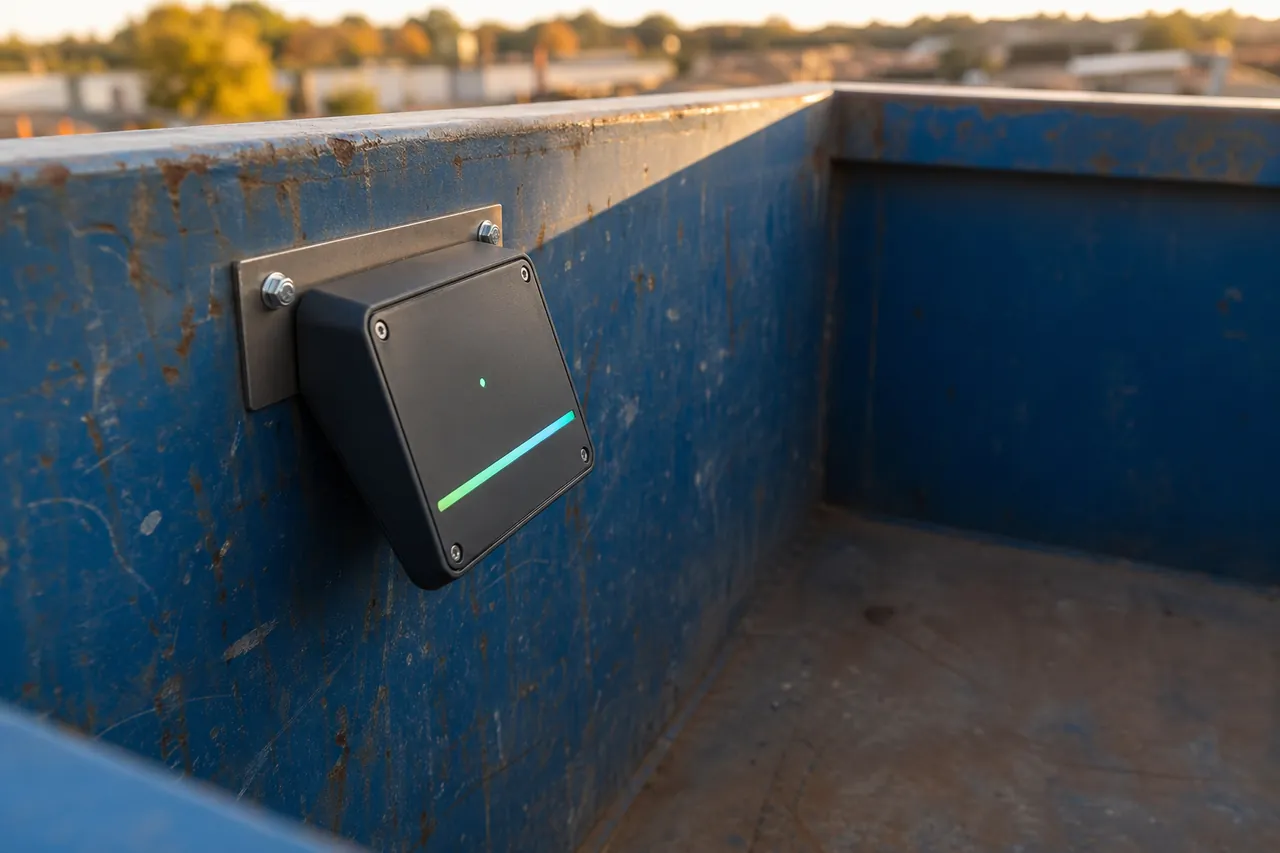
The same line covers warehouses, factories, airports, ports and industrial yards.

A finished IRIS device in a black enclosure, bolted to the inside wall of a blue steel skip.

HOW YOU START

A free demonstration, then a rollout if you continue.

IRIS installs one finished device. Your team uses the Iris Waste application on that bin for two to four weeks.

Bins
One, at a location you choose
Device
A finished IRIS build, installed by IRIS
Software
Configured by IRIS for your site
Duration
2–4 weeks

The free demonstration.

  1. Before installation

    Select the bin.

    Identify the site, the bin to cover, and the power and network near it. The IRIS team selects the finished build that suits that bin.

  2. Installation day

    IRIS installs and configures.

    The installer mounts the device, scans its QR code, and calibrates it in the application. The bin appears on your map.

  3. During the demonstration

    Your team operates IRIS.

    Your team uses the map, alerts and history for that bin. After the demonstration, the hardware device is recovered.

If you continue: rollout.

  1. Survey

    Review the sites, select the right device for each bin, and plan the connection.

  2. Configure

    Load the bins, configure your organisation in IRIS, and connect your systems.

  3. Install

    Mount the devices, scan their QR codes, and calibrate them from the application.

  4. Validate

    Confirm that every bin is reporting before the team relies on it.

  5. Operate

    Daily dashboards, weekly reports, and a review with the IRIS team.

FAQ

Before you request a demonstration

What happens after the demonstration?

The hardware device is recovered. You review the results with the IRIS team. Submitting the form is not a purchase.

What do we provide?

One bin at a location you choose, power and network near it, and a contact on site.

Who installs the device?

The IRIS team. The installer mounts the device, scans its QR code, and calibrates it in the application. Your team may observe.

Which device do we receive?

One finished build that suits the bin. Readings within 60 seconds of installation. Up to 5 years battery life on RF ultrasonic builds. The IRIS team selects sensing, power, connection and mounting after inspecting the bin.

Where does IRIS run?

IRIS can host it for you, or it can run in your organisation. The IRIS team configures either arrangement with you.

Does it work with our other systems?

Reports and alerts can go to the systems your team already uses, such as SAP, Oracle or Power BI. The IRIS team configures this with you.

REQUEST A DEMO

Run Iris Waste on one of your bins.

Identify the site. The IRIS team replies by email within 24 hours on weekdays.

Request a demo